


- Stok Durumu: 1
- Barkod: 50635
Özellikler ve Tasarım
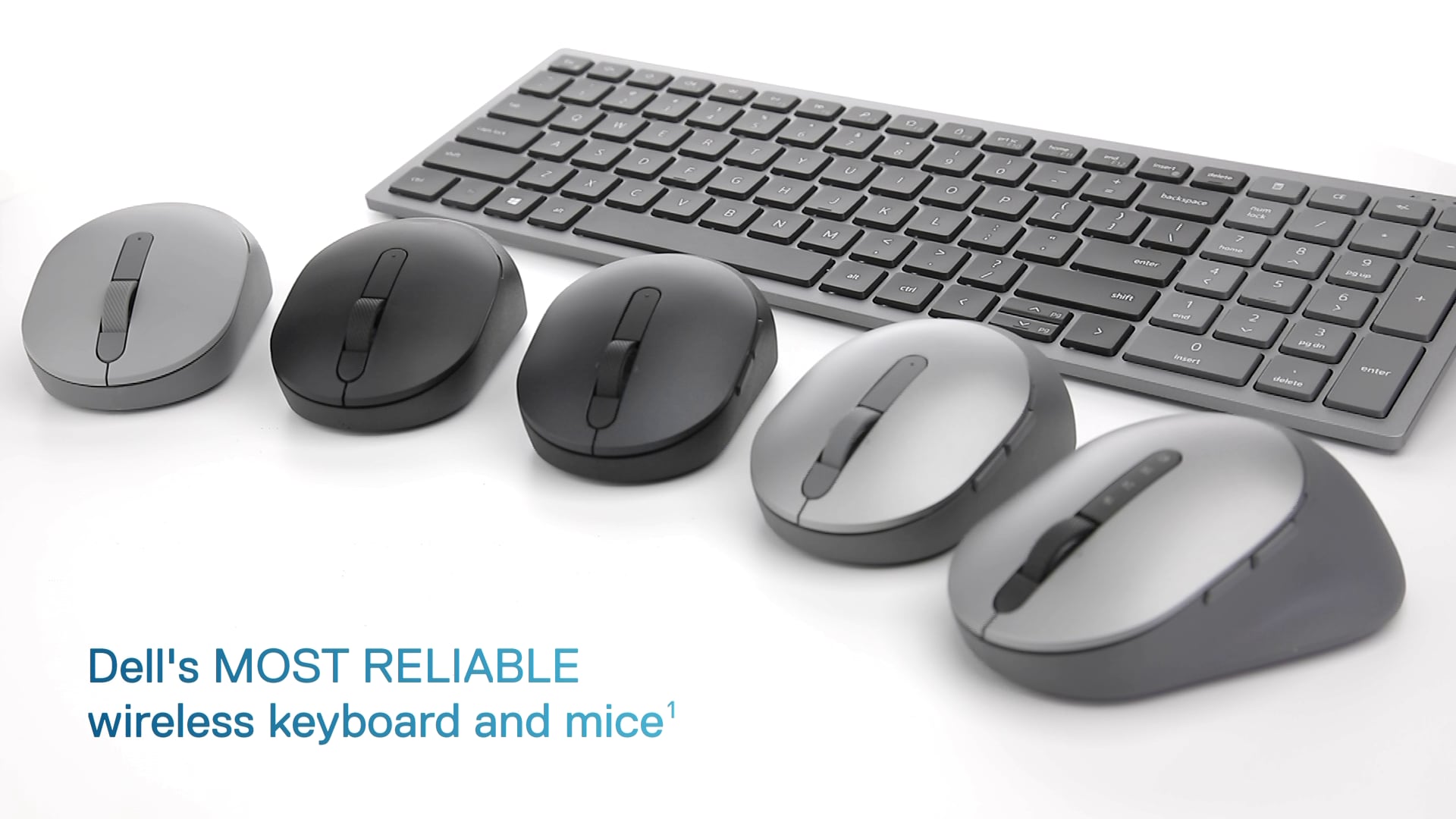
Not: Bu videoda bahsedilen ürün adı güncellenmiştir. Bu nedenle, videodaki ad sayfadaki mevcut ürün başlığından farklı olabilir, ancak aynı üründür.

Sorunsuz bağlantı kurun
Çift modlu bağlantı, 2.4 GHz kablosuz ve Bluetooth 5.0 bağlantısını birleştirerek, tercih ettiğiniz mod üzerinden neredeyse her bilgisayara bağlanmanızı sağlar.
Kolay Eşleştirme
Microsoft Swift Pair kullanarak farenizi Windows dizüstü bilgisayarınızla Bluetooth üzerinden anında eşleştirin , böylece her seferinde Windows ayarlarında yapılandırma yapmanıza gerek kalmaz. Bu fare ayrıca Windows, Mac, Chrome, Linux ve Android dahil olmak üzere çeşitli işletim sistemleriyle uyumludur.

Uzun ömürlü olması için üretilmiştir.
Tek bir pille 36 aya kadar çalışın — bu, önceki nesil modellere göre üç kat daha uzun bir süre — ve günlük, haftalık hatta aylık şarj etme derdinden kurtulun. Bu sayede pil değiştirme endişesi duymadan işlerinizi sorunsuz bir şekilde halledebilirsiniz.
Basitçe güvenilir
Fareniz üç yıllık garanti süresi içinde arızalanırsa, Dell'in Gelişmiş Değişim Servisi size bir sonraki iş gününde yedek bir ünite gönderir. Dell sistemlerinde yapılan titiz testler, farenizin tamamen güvenilir ve kullanıma hazır olmasını sağlayarak yüzlerce Dell sisteminde dağıtımını kolaylaştırır.
Hassas izleme
1600 DPI sensör, bu kablosuz farenin yüksek çözünürlüklü ekranları kolayca işlemesini sağlar. Optik sensörü doğru izleme sunar ve çoğu masa yüzeyinde idealdir.
Dell Ekran ve Çevre Birimi Yöneticisi
Dell'in benzersiz ve yenilikçi uygulamasıyla tüm Dell PC çalışma alanınızın performansını optimize edin .

Hassas ve verimli
Verimliliğinizi artırmak için DPI ayarlarını yapın ve programlanabilir düğmeleri sık kullandığınız komutlara göre yapılandırın.
Daha yönetilebilir
Dell Aygıt Yönetim Konsolu ile zamandan tasarruf edin ve BT verimliliğinizi artırın; Dell çevre birimlerinizi tek bir bulut tabanlı konsoldan büyük ölçekte yönetin. Dell Ekran ve Çevre Birimi Yöneticisi'nin genişletilmiş Komut Satırı Arayüzü özelliklerini keşfedin.
Dell Ekran ve Çevre Birimi Yöneticisi hakkında daha fazla bilgi edinin
. Uyarı: Ekran görüntüsü yalnızca örnekleme amacıyla simüle edilmiştir.
Ürün Özellikleri
1. Pil durumu göstergesi | 2. Kaydırma tekerleği (eğimli) | 3. Programlanabilir düğmeler | 4. Açma/kapama düğmesi | 5. Açma/kapama düğmesi
Uyumluluk
2.4 GHz
- Windows 7, Windows 8.1 ve 10; Mac; Linux (Red Hat Enterprise 8.0 / Ubuntu 18.4); Chrome; ve Android işletim sistemi.
Bluetooth
- Windows 8.1 ve 10; Mac; Linux (Red Hat Enterprise 8.0 / Ubuntu 18.4); Chrome; ve Android işletim sistemi.
Dell Çevre Birimi Yöneticisi
- Windows 7, Windows 8.1, 10 veya üzeri.
Kutunun İçinde Ne Var?
Fare,
1 adet AA pil,
belgeler


"><source srcset="https://i.dell.com/is/image/DellContent/content/dam/ss2/product-images/peripherals/input-devices/dell/mouse/ms55120w/feature/dell-ms5120w-mouse-black-1.jpg?wid=726&hei=484&fmt=png-alpha&qlt=100%2c0&op_usm=1.75%2c0.3%2c2%2c0&resMode=sharp2&pscan=auto&fit=constrain%2c1&align=0%2c0" media="(max-width: 767px)"><source srcset="https://i.dell.com/is/image/DellContent/content/dam/ss2/product-images/peripherals/input-devices/dell/mouse/ms55120w/feature/dell-ms5120w-mouse-black-1.jpg?wid=1100&hei=733&fmt=png-alpha&qlt=100%2c0&op_usm=1.75%2c0.3%2c2%2c0&resMode=sharp2&pscan=auto&fit=constrain%2c1&align=0%2c0" media="(max-width: 1170px)"><source srcset="https://i.dell.com/is/image/DellContent/content/dam/ss2/product-images/peripherals/input-devices/dell/mouse/ms55120w/feature/dell-ms5120w-mouse-black-1.jpg?wid=1900&hei=1267&fmt=png-alpha&qlt=100%2c0&op_usm=1.75%2c0.3%2c2%2c0&resMode=sharp2&pscan=auto&fit=constrain%2c1&align=0%2c0" media="(max-width: 1919px)"><source srcset="https://i.dell.com/is/image/DellContent/content/dam/ss2/product-images/peripherals/input-devices/dell/mouse/ms55120w/feature/dell-ms5120w-mouse-black-1.jpg?wid=3840&hei=2561&fmt=png-alpha&qlt=100%2c0&op_usm=1.75%2c0.3%2c2%2c0&resMode=sharp2&pscan=auto&fit=constrain%2c1&align=0%2c0" media="(min-width: 1920px)"><img src="data:image/svg+xml;charset=utf-8)
"><source srcset="https://i.dell.com/is/image/DellContent/content/dam/ss2/product-images/peripherals/input-devices/dell/mouse/ms55120w/feature/dell_ms5120w_%20mouse_black_2_l.jpg?wid=726&hei=483&fmt=png-alpha&qlt=100%2c0&op_usm=1.75%2c0.3%2c2%2c0&resMode=sharp2&pscan=auto&fit=constrain%2c1&align=0%2c0" media="(max-width: 767px)"><source srcset="https://i.dell.com/is/image/DellContent/content/dam/ss2/product-images/peripherals/input-devices/dell/mouse/ms55120w/feature/dell_ms5120w_%20mouse_black_2_l.jpg?wid=550&hei=366&fmt=png-alpha&qlt=100%2c0&op_usm=1.75%2c0.3%2c2%2c0&resMode=sharp2&pscan=auto&fit=constrain%2c1&align=0%2c0" media="(max-width: 1170px)"><source srcset="https://i.dell.com/is/image/DellContent/content/dam/ss2/product-images/peripherals/input-devices/dell/mouse/ms55120w/feature/dell_ms5120w_%20mouse_black_2_l.jpg?wid=950&hei=632&fmt=png-alpha&qlt=100%2c0&op_usm=1.75%2c0.3%2c2%2c0&resMode=sharp2&pscan=auto&fit=constrain%2c1&align=0%2c0" media="(max-width: 1919px)"><source srcset="https://i.dell.com/is/image/DellContent/content/dam/ss2/product-images/peripherals/input-devices/dell/mouse/ms55120w/feature/dell_ms5120w_%20mouse_black_2_l.jpg?wid=1920&hei=1278&fmt=png-alpha&qlt=100%2c0&op_usm=1.75%2c0.3%2c2%2c0&resMode=sharp2&pscan=auto&fit=constrain%2c1&align=0%2c0" media="(min-width: 1920px)"><img src="https://i.dell.com/images/global/general/1x1.gif" alt="Uzun ömürlü olması için üretilmiştir."></picture></figure><h2>Uzun ömürlü olması için üretilmiştir.</h2><p>Tek bir pille 36 aya kadar çalışın — bu)
"><source srcset="https://i.dell.com/is/image/DellContent/content/dam/ss2/product-images/peripherals/input-devices/dell/mouse/ms55120w/feature/dell_ms5120w_%20mouse_black_3_l.jpg?wid=726&hei=483&fmt=png-alpha&qlt=100%2c0&op_usm=1.75%2c0.3%2c2%2c0&resMode=sharp2&pscan=auto&fit=constrain%2c1&align=0%2c0" media="(max-width: 767px)"><source srcset="https://i.dell.com/is/image/DellContent/content/dam/ss2/product-images/peripherals/input-devices/dell/mouse/ms55120w/feature/dell_ms5120w_%20mouse_black_3_l.jpg?wid=550&hei=366&fmt=png-alpha&qlt=100%2c0&op_usm=1.75%2c0.3%2c2%2c0&resMode=sharp2&pscan=auto&fit=constrain%2c1&align=0%2c0" media="(max-width: 1170px)"><source srcset="https://i.dell.com/is/image/DellContent/content/dam/ss2/product-images/peripherals/input-devices/dell/mouse/ms55120w/feature/dell_ms5120w_%20mouse_black_3_l.jpg?wid=950&hei=632&fmt=png-alpha&qlt=100%2c0&op_usm=1.75%2c0.3%2c2%2c0&resMode=sharp2&pscan=auto&fit=constrain%2c1&align=0%2c0" media="(max-width: 1919px)"><source srcset="https://i.dell.com/is/image/DellContent/content/dam/ss2/product-images/peripherals/input-devices/dell/mouse/ms55120w/feature/dell_ms5120w_%20mouse_black_3_l.jpg?wid=1920&hei=1278&fmt=png-alpha&qlt=100%2c0&op_usm=1.75%2c0.3%2c2%2c0&resMode=sharp2&pscan=auto&fit=constrain%2c1&align=0%2c0" media="(min-width: 1920px)"><img src="https://i.dell.com/images/global/general/1x1.gif" alt="Hassas izleme"></picture></figure><h2>Hassas izleme</h2><p>1600 DPI sensör)
"><source srcset="https://i.dell.com/is/image/DellContent/content/dam/ss2/product-images/dell-client-products/peripherals/mouse/ms900/screenfill-dell-pro-premium-mouse-ms900.png?wid=726&hei=387&fmt=png-alpha&qlt=100%2c0&op_usm=1.75%2c0.3%2c2%2c0&resMode=sharp2&pscan=auto&fit=constrain%2c1&align=0%2c0" media="(max-width: 767px)"><source srcset="https://i.dell.com/is/image/DellContent/content/dam/ss2/product-images/dell-client-products/peripherals/mouse/ms900/screenfill-dell-pro-premium-mouse-ms900.png?wid=550&hei=293&fmt=png-alpha&qlt=100%2c0&op_usm=1.75%2c0.3%2c2%2c0&resMode=sharp2&pscan=auto&fit=constrain%2c1&align=0%2c0" media="(max-width: 1170px)"><source srcset="https://i.dell.com/is/image/DellContent/content/dam/ss2/product-images/dell-client-products/peripherals/mouse/ms900/screenfill-dell-pro-premium-mouse-ms900.png?wid=950&hei=507&fmt=png-alpha&qlt=100%2c0&op_usm=1.75%2c0.3%2c2%2c0&resMode=sharp2&pscan=auto&fit=constrain%2c1&align=0%2c0" media="(max-width: 1919px)"><source srcset="https://i.dell.com/is/image/DellContent/content/dam/ss2/product-images/dell-client-products/peripherals/mouse/ms900/screenfill-dell-pro-premium-mouse-ms900.png?wid=1920&hei=1025&fmt=png-alpha&qlt=100%2c0&op_usm=1.75%2c0.3%2c2%2c0&resMode=sharp2&pscan=auto&fit=constrain%2c1&align=0%2c0" media="(min-width: 1920px)"><img src="data:image/svg+xml;charset=utf-8)
"><source srcset="https://i.dell.com/is/image/DellContent/content/dam/ss2/product-images/peripherals/input-devices/dell/mouse/ms55120w/feature/dell_ms5120w_%20mouse_black_5.jpg?wid=726&hei=384&fmt=png-alpha&qlt=100%2c0&op_usm=1.75%2c0.3%2c2%2c0&resMode=sharp2&pscan=auto&fit=constrain%2c1&align=0%2c0" media="(max-width: 767px)"><source srcset="https://i.dell.com/is/image/DellContent/content/dam/ss2/product-images/peripherals/input-devices/dell/mouse/ms55120w/feature/dell_ms5120w_%20mouse_black_5.jpg?wid=1100&hei=582&fmt=png-alpha&qlt=100%2c0&op_usm=1.75%2c0.3%2c2%2c0&resMode=sharp2&pscan=auto&fit=constrain%2c1&align=0%2c0" media="(max-width: 1170px)"><source srcset="https://i.dell.com/is/image/DellContent/content/dam/ss2/product-images/peripherals/input-devices/dell/mouse/ms55120w/feature/dell_ms5120w_%20mouse_black_5.jpg?wid=1900&hei=1005&fmt=png-alpha&qlt=100%2c0&op_usm=1.75%2c0.3%2c2%2c0&resMode=sharp2&pscan=auto&fit=constrain%2c1&align=0%2c0" media="(max-width: 1919px)"><source srcset="https://i.dell.com/is/image/DellContent/content/dam/ss2/product-images/peripherals/input-devices/dell/mouse/ms55120w/feature/dell_ms5120w_%20mouse_black_5.jpg?wid=3840&hei=2032&fmt=png-alpha&qlt=100%2c0&op_usm=1.75%2c0.3%2c2%2c0&resMode=sharp2&pscan=auto&fit=constrain%2c1&align=0%2c0" media="(min-width: 1920px)"><img src="https://i.dell.com/images/global/general/1x1.gif" alt="Ürün Özellikleri"></picture></figure><h2>Ürün Özellikleri</h2><p>1. Pil durumu göstergesi | 2. Kaydırma tekerleği (eğimli) | 3. Programlanabilir düğmeler | 4. Açma/kapama düğmesi | 5. Açma/kapama düğmesi</p><h2>Uyumluluk</h2><p>2.4 GHz<br>- Windows 7)